
DLSS vs FSR vs Frame Generation: Which GPU Technology Is Worth It in 2026?

When shopping for a new graphics card, specs like VRAM and clock speed are no longer the only things that matter. Modern GPUs now include advanced technologies like DLSS, FSR, and Frame Generation — features that can dramatically increase performance and smoothness.
But are they worth it?And should they influence which GPU you buy?
At AES Tech Gaming, we break it down clearly so you can make the right decision for your gaming setup.
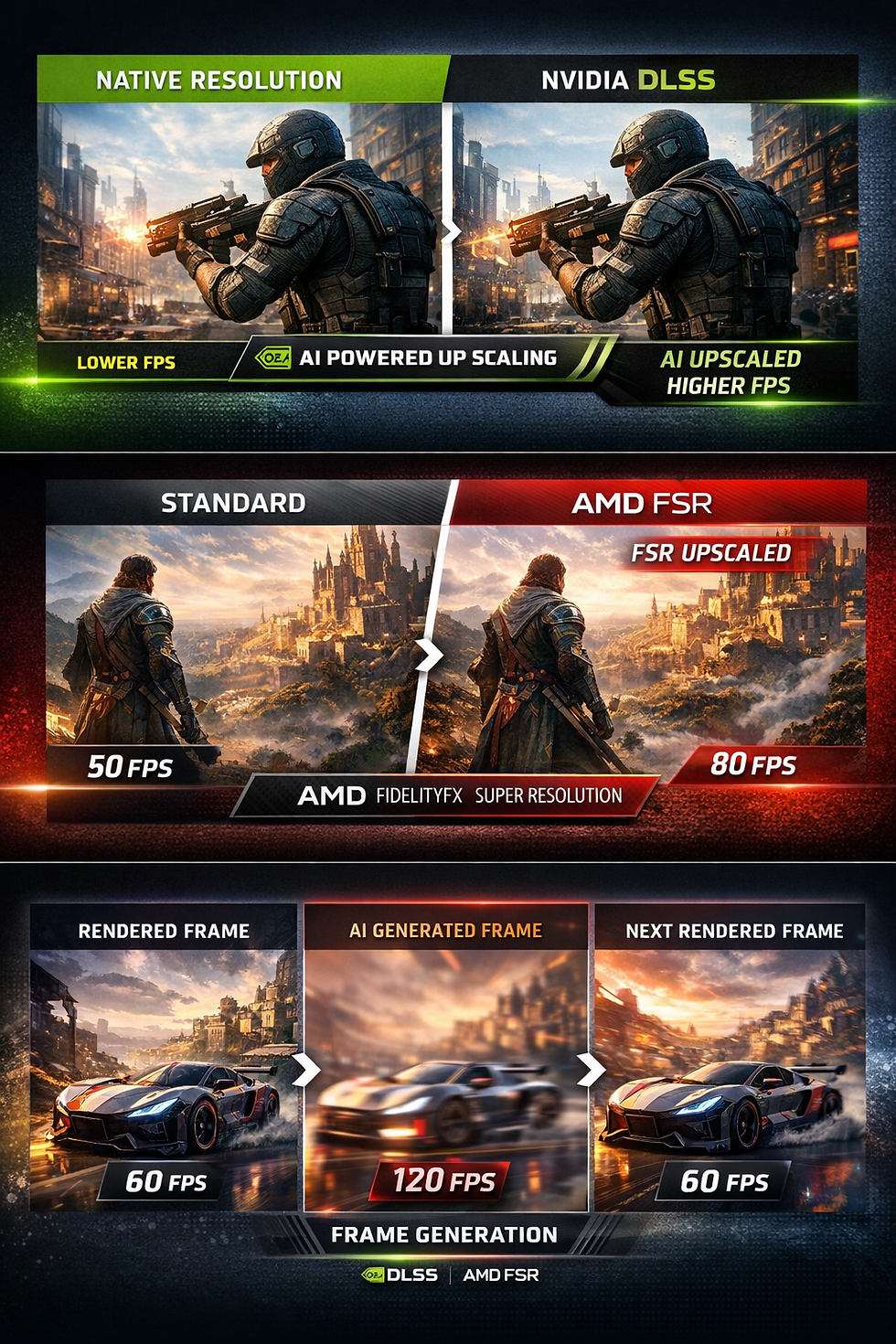
What Is DLSS?
DLSS (Deep Learning Super Sampling) is NVIDIA’s AI-powered upscaling technology available on RTX graphics cards.
Instead of rendering a game at full resolution (like native 4K), DLSS renders at a lower internal resolution and uses AI to upscale the image. This results in:
Higher FPS
Similar (sometimes near-native) image quality
Improved ray tracing performance
Why DLSS Looks So Good
DLSS uses dedicated Tensor cores built into RTX GPUs. These AI cores analyze previous frames, motion data, and depth information to reconstruct sharp images.
In many games, DLSS Quality mode looks nearly identical to native resolution — while delivering significantly higher framerates.
Important: DLSS only works on NVIDIA RTX GPUs.
What Is FSR?
FSR (FidelityFX Super Resolution) is AMD’s upscaling alternative.
Unlike DLSS, FSR does not require dedicated AI hardware. That means it works on:
AMD GPUs
NVIDIA GPUs
Intel GPUs
FSR has improved dramatically in recent versions:
FSR 1.0 – Basic spatial upscaling
FSR 2.x – Temporal upscaling (major quality jump)
FSR 3+ – Adds Frame Generation
Quality Comparison: DLSS vs FSR
In general:
DLSS typically provides slightly better image reconstruction.
FSR has improved significantly and is very competitive in newer versions.
At Performance modes (lower internal resolution), DLSS usually retains clarity better.
At Quality modes, the difference is often minimal in motion.
For most gamers, both are excellent — but DLSS still holds a slight edge in pure image fidelity.
What Is Frame Generation?
Frame Generation is different from upscaling.
Instead of improving resolution, it creates entirely new frames between rendered frames.
Example:
Your GPU renders 60 FPS.
Frame Generation inserts AI-generated frames between them.
You may see 100–120 FPS on your monitor.
It does not reduce GPU load — it increases perceived smoothness.
NVIDIA Frame Generation
Included with DLSS 3 and newer versions.
NVIDIA’s implementation:
Uses AI and motion vectors
Requires RTX 40-series or newer GPUs
Works best when base FPS is already 50–60+
Pros:
Massive smoothness boost
Excellent with ray tracing
Strong implementation in many AAA games
Cons:
Slight input latency increase
Requires supported RTX GPU
AMD Frame Generation (FSR 3 / Fluid Motion Frames)
AMD’s approach:
Works on a wider range of GPUs
Does not rely on Tensor cores
Available in supported FSR 3 games
Pros:
Broader compatibility
Good performance uplift
Helpful for mid-range GPUs
Cons:
Slightly more artifacting in some titles
Slight input latency increase
Not quite as refined as NVIDIA’s version (in some games)
Feature Comparison Chart
Feature | NVIDIA DLSS | AMD FSR |
Upscaling Method | AI + Tensor cores | Algorithmic / hybrid |
Image Quality | Excellent (industry leader) | Very good (close in newer versions) |
Frame Generation | Yes (DLSS 3+) | Yes (FSR 3+) |
Hardware Required | RTX GPUs only | AMD, NVIDIA, Intel |
Best For | High-end RTX builds | Budget & mid-range builds |
Ray Tracing Performance | Strong boost | Good boost |
Competitive Gaming | Upscaling: Yes / FG: Sometimes | Upscaling: Yes / FG: Sometimes |
Frame Generation Multiplier | up to 4x(5000 series GPU's) 1 Real Frame + 4 AI Frames | Up to 2x 1 Real Frame + 1 AI Frame |
Who SHOULD Use DLSS or FSR?
1️⃣ 1440p & 4K Gamers
If you game at higher resolutions, upscaling makes a massive difference in performance.
2️⃣ Ray Tracing Users
Ray tracing is demanding. DLSS or FSR can make it playable without sacrificing too much visual quality.
3️⃣ Mid-Range GPU Owners
If you own a Mid Range 4000 series or 5000 series Graphics Card and do not play competative FPS shooter games.
4️⃣ High Refresh Rate Monitor Users
Frame Generation helps push 120Hz, 144Hz, and 240Hz displays closer to their full potential.
Who Might NOT Want to Use Frame Generation?
❌ Competitive Esports Players
If you prioritize lowest possible input latency (CS2, Valorant, competitive Warzone), you may prefer raw native FPS over generated frames.
❌ Native Image Purists
If you demand 100% native rendering with zero reconstruction artifacts, you may prefer to disable upscaling.
Final Recommendation from AES Tech Gaming
If you’re building a performance-focused gaming PC:
RTX GPU buyers → DLSS + Frame Generation is a major advantage.
AMD GPU buyers → FSR 3 provides excellent value and broad compatibility.
For 1440p and 4K builds → These technologies are absolutely worth considering.
For most modern gamers, these features are no longer “extras” — they are core performance tools.


Comments